Sharing, links and QR codes
Hand your card over, and see which code brought people in.
All topics
- Start here
- Getting started
- Building your card
- Sharing, links and QR codes
- Email signatures and backgrounds
- Designing printed cards
- Your store
- Events and tickets
- Bookings
- People and contacts
- Notifications
- Wallet passes
- Analytics
- Teams and company cards
- For team members
- Account and settings
- Plans and billing
- Got someone's card?
- Privacy and safety
- Troubleshooting
- General questions
Tracked links and QR codes
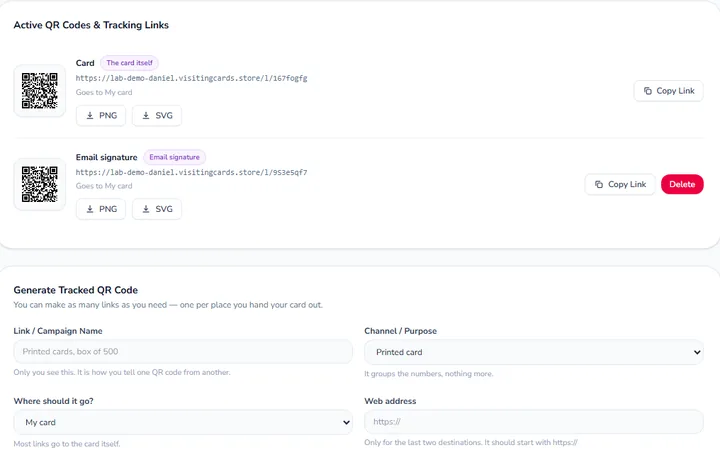
- What is a tracked link?Pro
- Making a tracked link or QR codePro
- Choosing a Channel / PurposePro
- Where a link can send peoplePro
- Changing where a printed code goesPro
- Deleting a linkPro
- How many links can I have?All plans
- Why QR codes look the way they do, and can I colour them?All plans
- Why does a long link on my card show as a short one?All plans
Counting scans
Common questions
More on this in other topics
Still need help?
Write to us, or ask on the forum, where the next person will find the answer too.
- Contact usSend us a message
- Emailhello@visitingcards.store
- Ask the communityAsk a question on the forum
Signed in? Use Help in your dashboard to send us a message.